
How to set up your DATUM gateway
A small VPS + DATUM in a box + your hashrate. About 30 minutes, most of it waiting for a download. We use rented hashrate from Mining Rig Rentals. With your own miners the steps are the same, apart from pointing them at the gateway.
With a DATUM gateway of your own, you mine the Bitcoin BLAKE2b chain on your terms, whether the hashrate comes from your own machines or from a rental. Your gateway builds the block templates on your own node, the pool only coordinates the shared payout, and every block you help find pays your address straight from the coinbase. With your own gateway the xorpool fee is 1%.
 Your hashrateyour miner or a rental
 Your gatewayhands work to your miners↕
 Bitcoin Knots nodebuilds your block templates
 DATUM poolshares the rewards
 Your addresspaid from the coinbase
| You need | Notes |
|---|---|
| A payout address | An address on the Bitcoin BLAKE2b chain, from a wallet you hold the keys to. You need a fork-aware wallet (Shrike); stock Sparrow or Electrum will not work. Do not use an exchange deposit address. Set up a wallet. |
| A VPS: 2 vCPU, 4 GB RAM, 40 GB or more of SSD | Any provider, with a public IP, running Ubuntu or Debian. We use DigitalOcean. A box at home also works if you forward port 23334 through your router. |
| Your hashrate | Your own BLAKE2b miner, or rented hashrate, for example from Mining Rig Rentals. |
Part 1. Create the server
On another provider the screens look different but the choices are the same: region, operating system, size, login method.
1Region and operating system
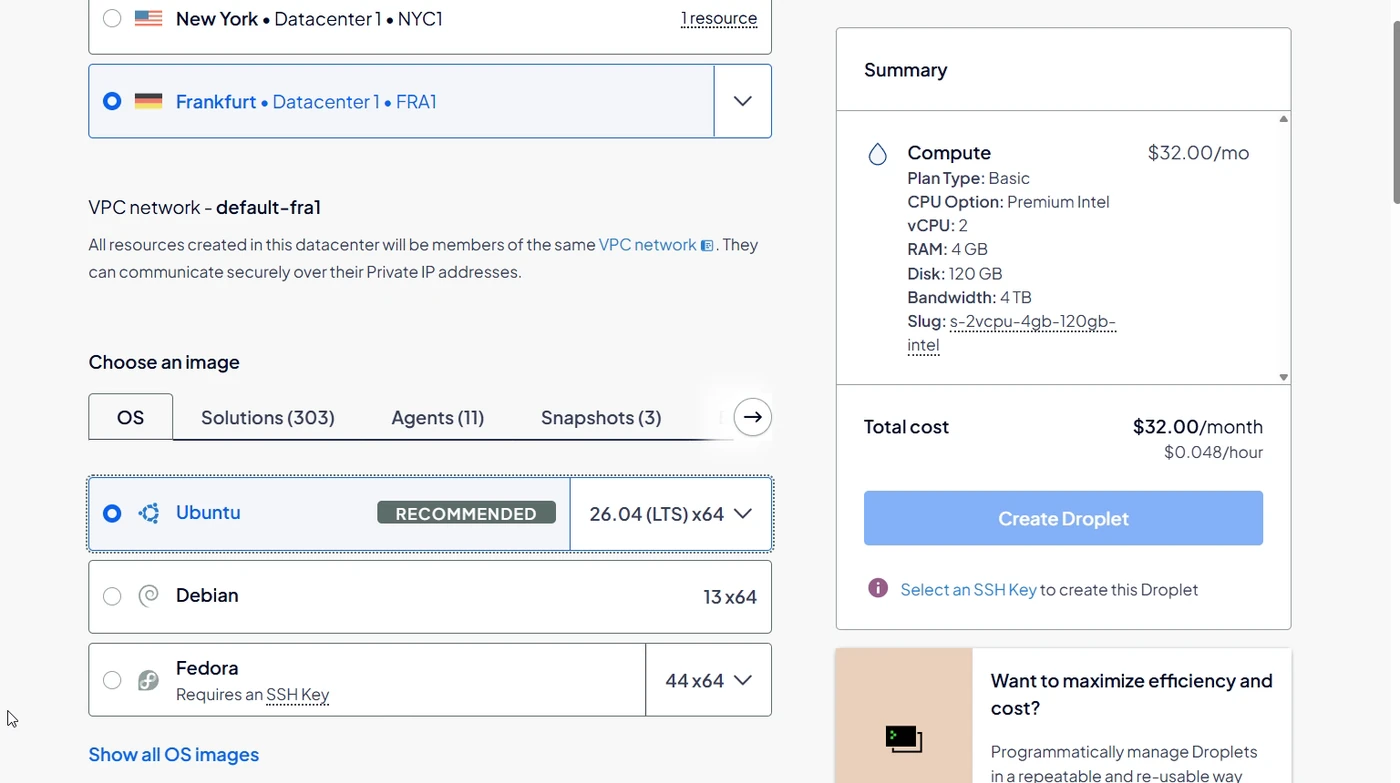
Create a new server (on DigitalOcean: Create → Droplets). Pick the datacenter closest to your miners. For a rental, MRR shows each rig's region on its page. For the operating system pick the latest Ubuntu LTS. A current Debian works just as well.
2Size: 2 vCPU, 4 GB RAM, NVMe disk
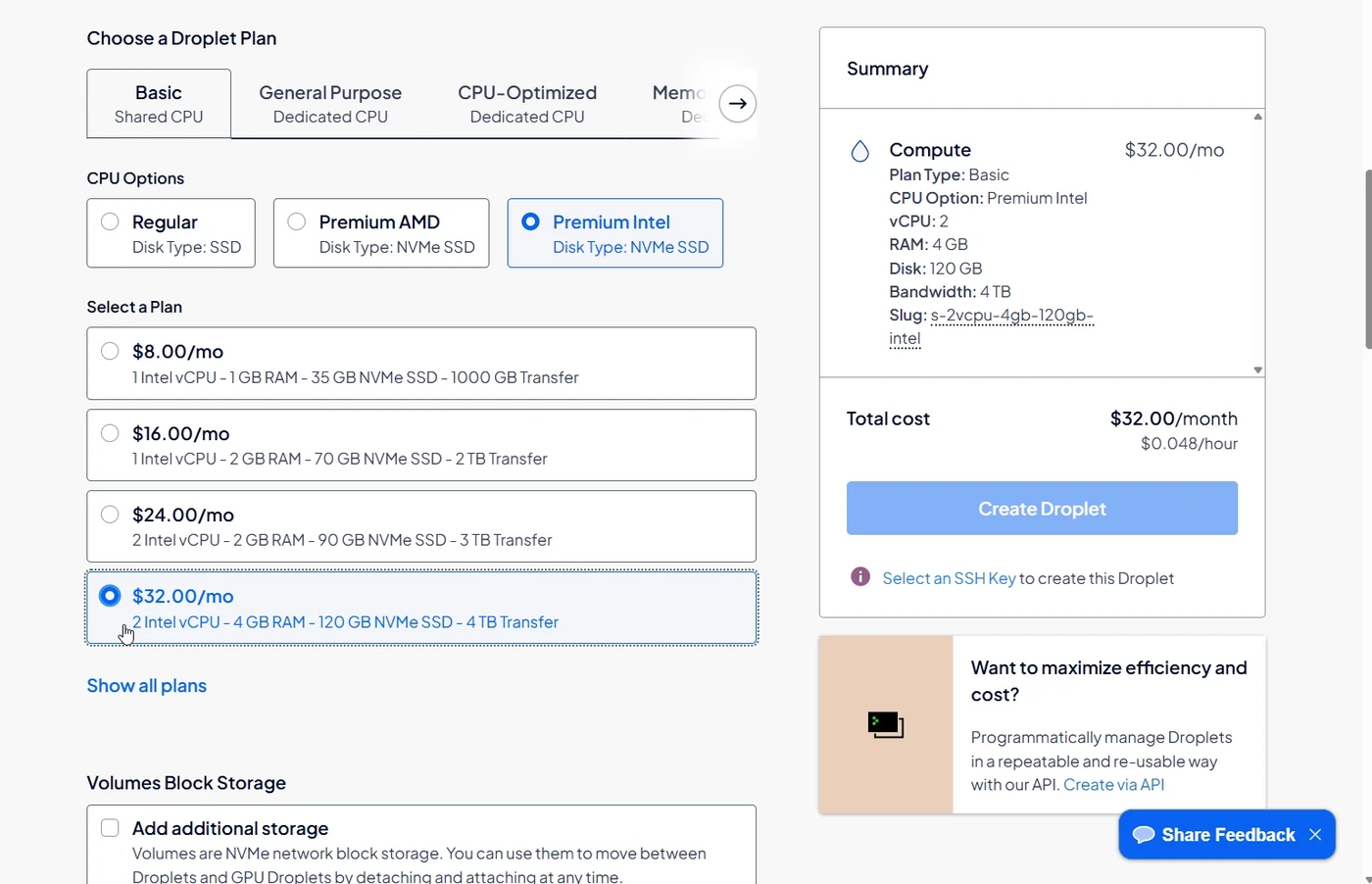
Aim for 2 vCPU, 4 GB RAM and a fast SSD. The next size down may work, but the node is happier with 4 GB. On DigitalOcean: Basic → Premium Intel (NVMe SSD), 2 vCPU / 4 GB / 120 GB, about $32 a month.
3Login method
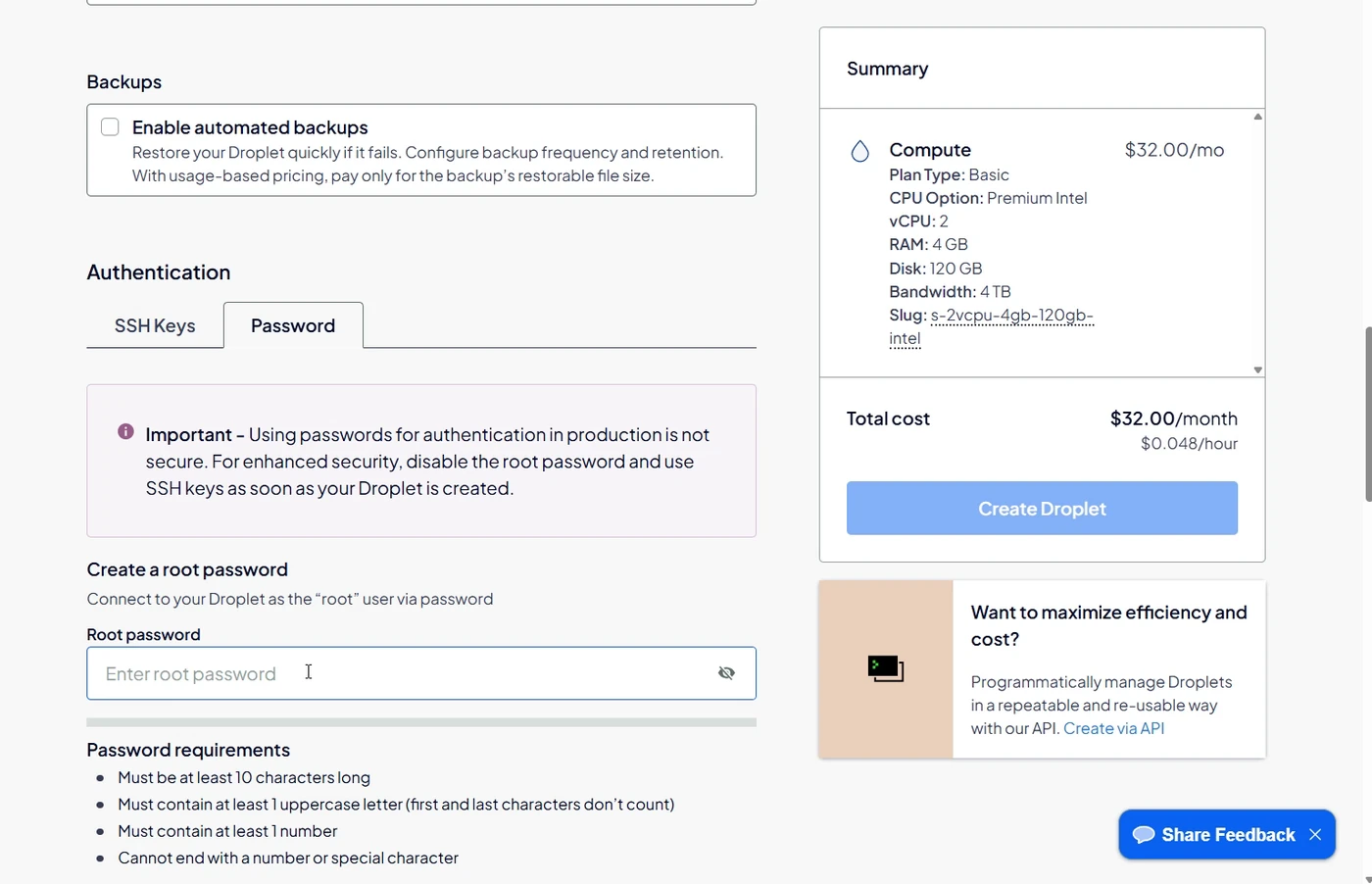
An SSH key is the better choice if you have one. A strong root password also works.
4Name it and create it
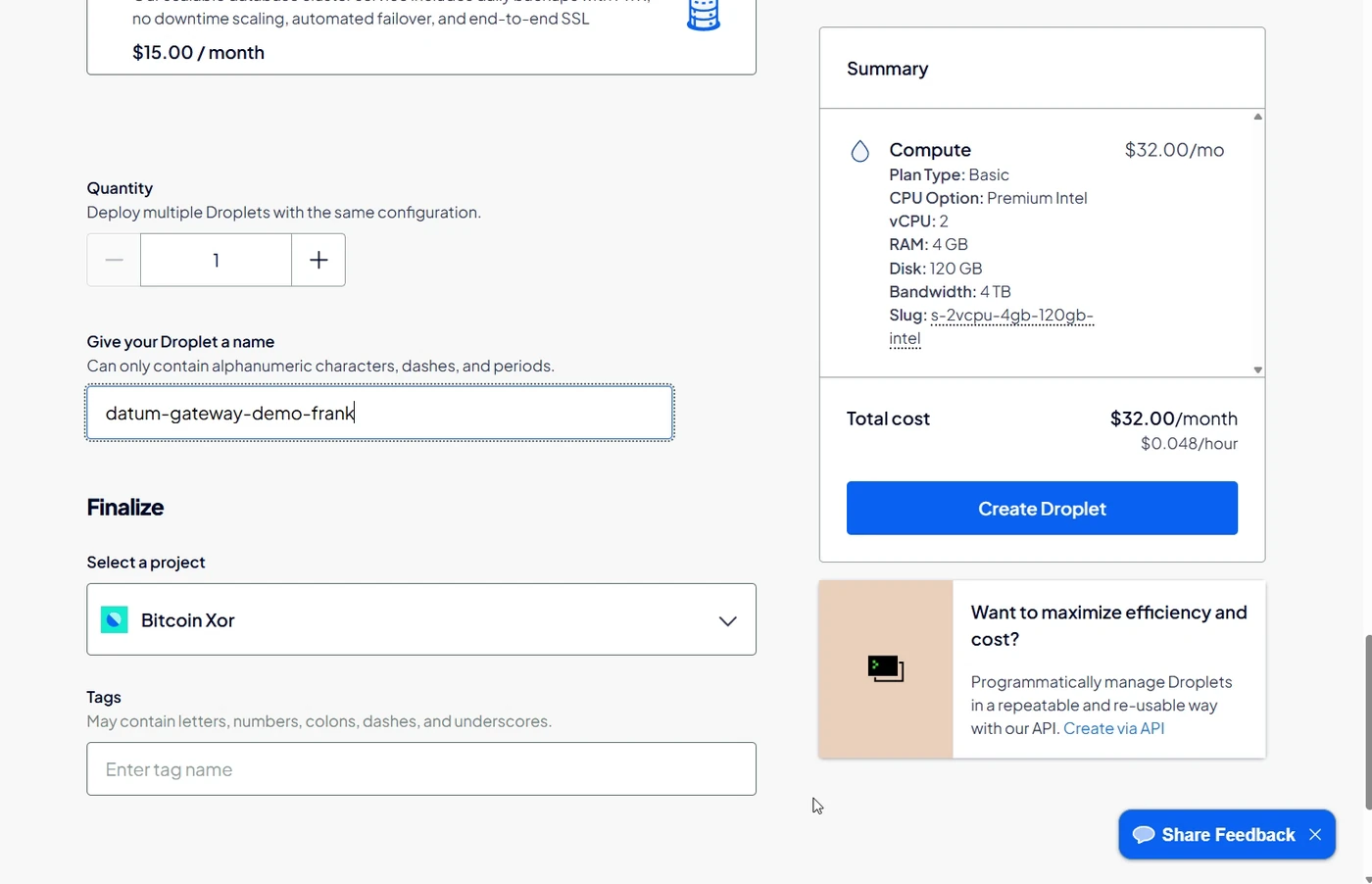
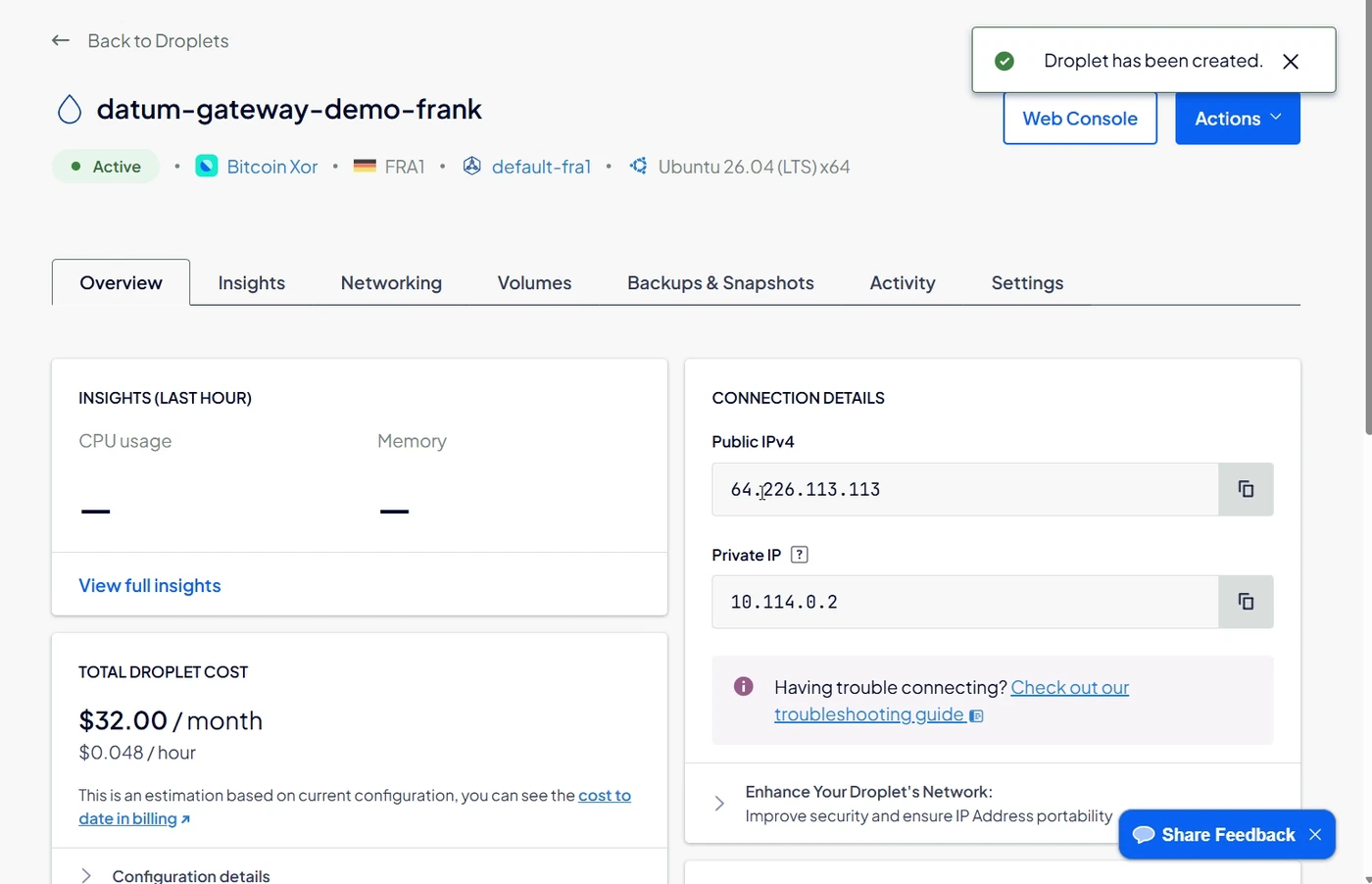
After about a minute the server is up. Copy its public IPv4 address. You will use it twice: to log in, and as the pool address for your miners.
Part 2. Install DATUM in a box
5Log in
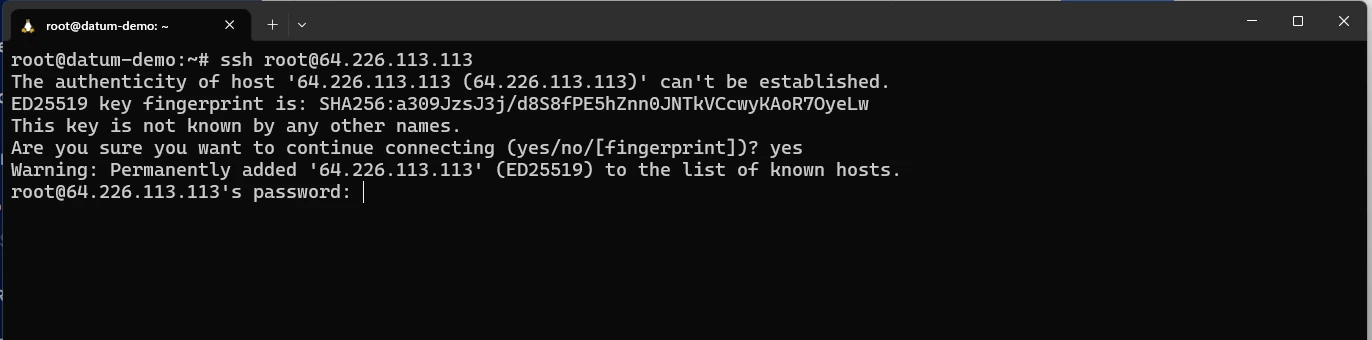
Open a terminal (Windows Terminal, PowerShell, macOS Terminal, anything with ssh) and connect as root, using your server's address:
ssh root@YOUR.SERVER.IP
Type yes to accept the fingerprint the first time, then enter the password you set.
6Copy the two setup lines
Go to DATUM in a box, stay on the Easy tab, press the copy button on the two-line block, and paste it into the terminal. The script is open source and comes straight from GitHub. Read it first if you like.

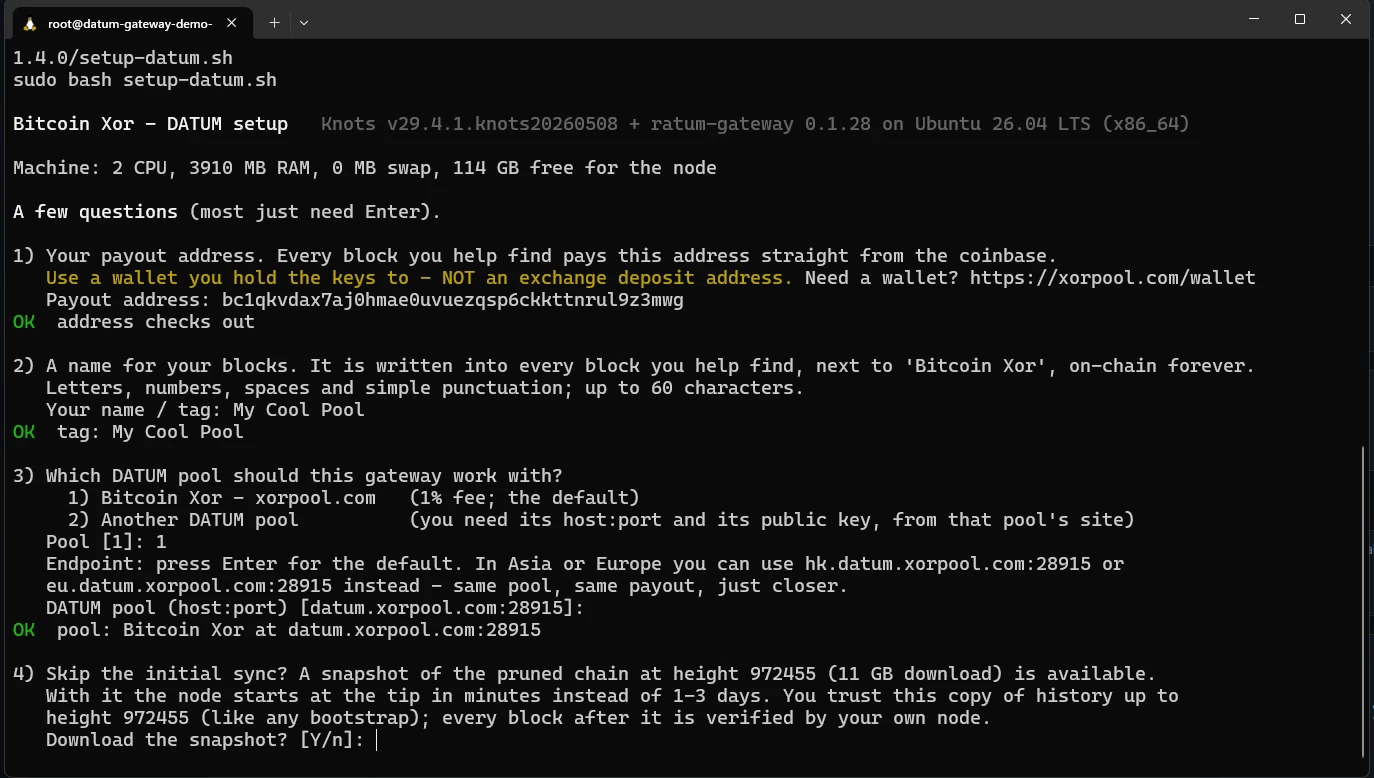
7Answer the questions
Most of them have a default, so you mostly press Enter.
| Question | What to answer |
|---|---|
| Payout address | Your own address. The script checks it is valid. |
| Name / tag | Highly recommended. It is written into every block you help find, next to the pool's name, and it is how you recognize your gateway on the pool's pages. It is public and permanent, so pick something you are happy to see on-chain. |
| Which DATUM pool | Enter for Bitcoin Xor / xorpool.com. Option 2 lets you use any other DATUM pool by entering its host, port and public key. |
| Endpoint | Enter for the default, or type the Asia or Europe endpoint shown if your server is closer to those. Same pool and same payout either way. |
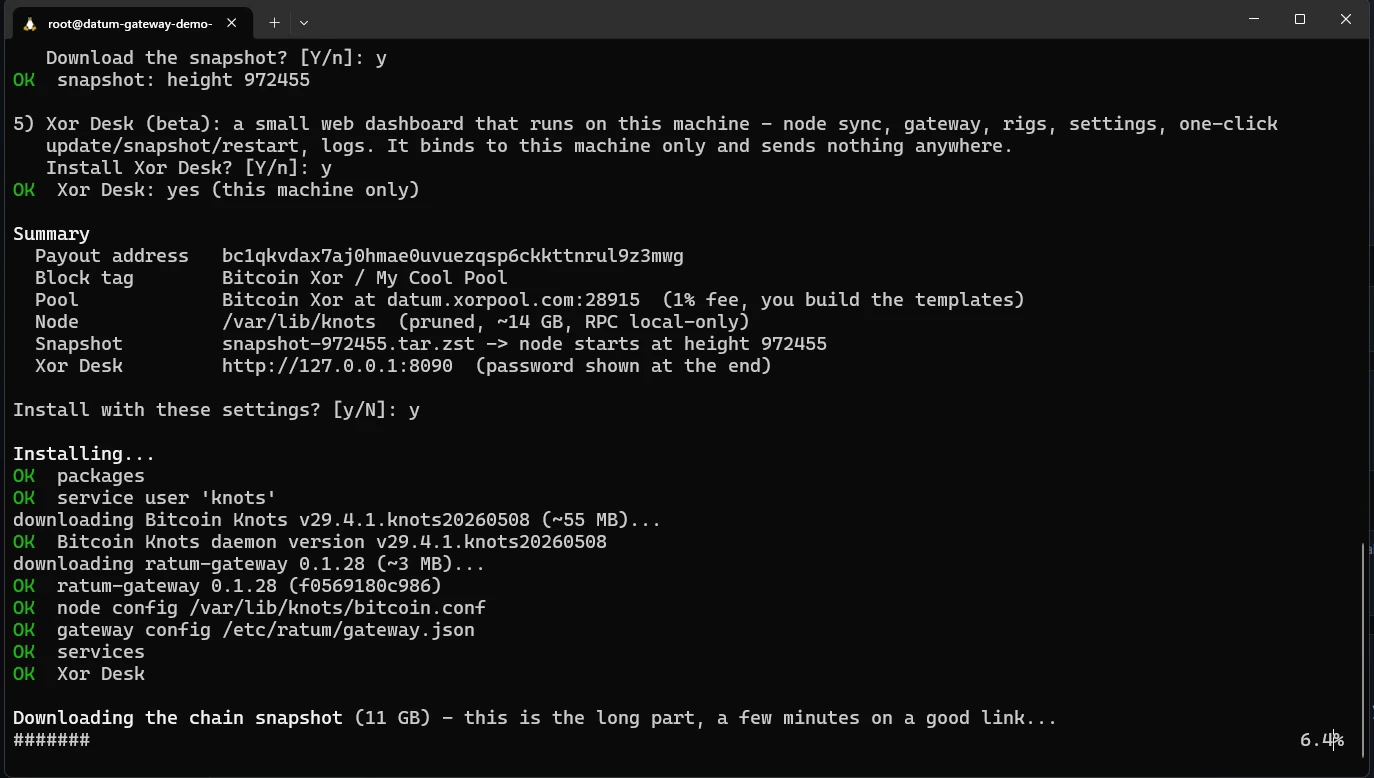
| Download the snapshot? | See below. |
| Xor Desk | Optional local dashboard. It runs only on your server and sends nothing to xorpool. |
8Check the summary and confirm
The script shows what it is about to do. Check the payout address one more time, then y.
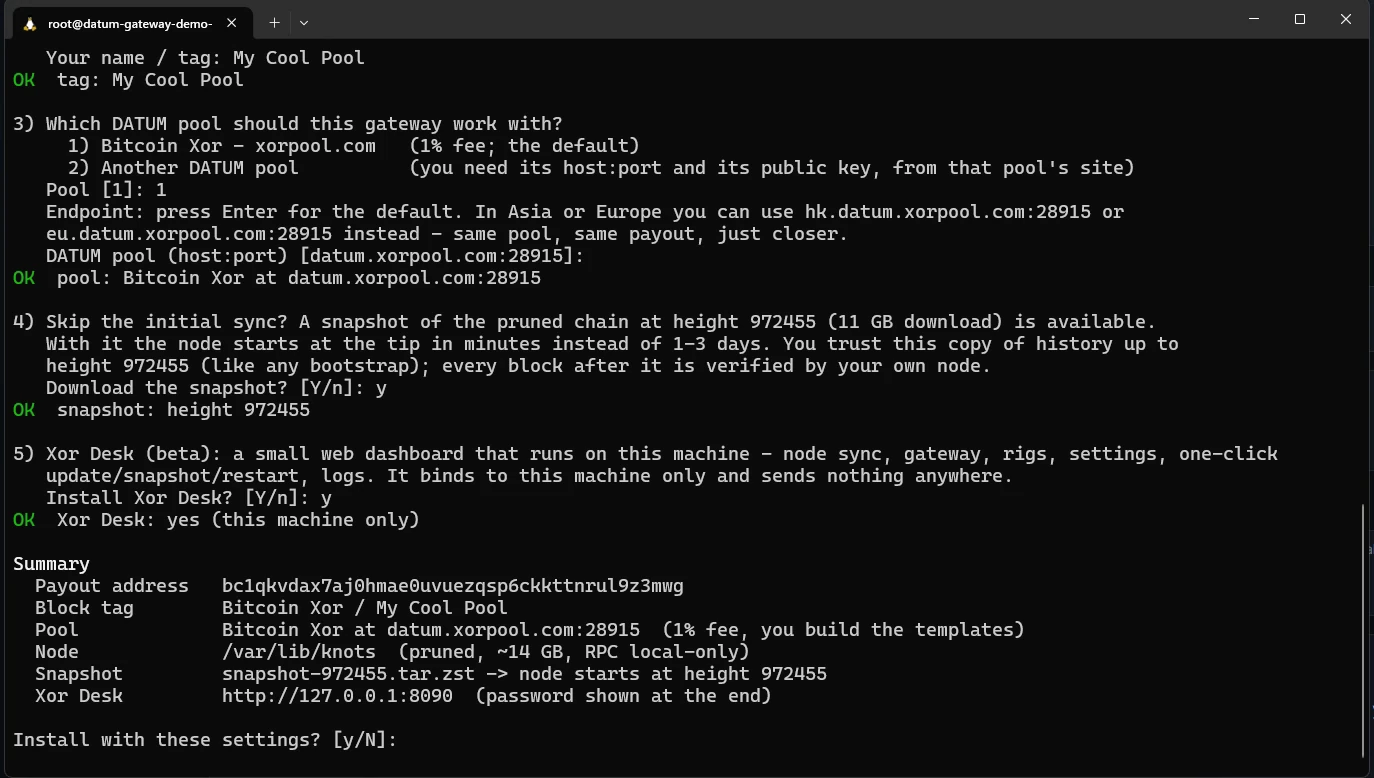
It installs the node and the gateway, then downloads the snapshot. This is the long part, a few minutes on a datacenter connection.
9Done: note the stratum address
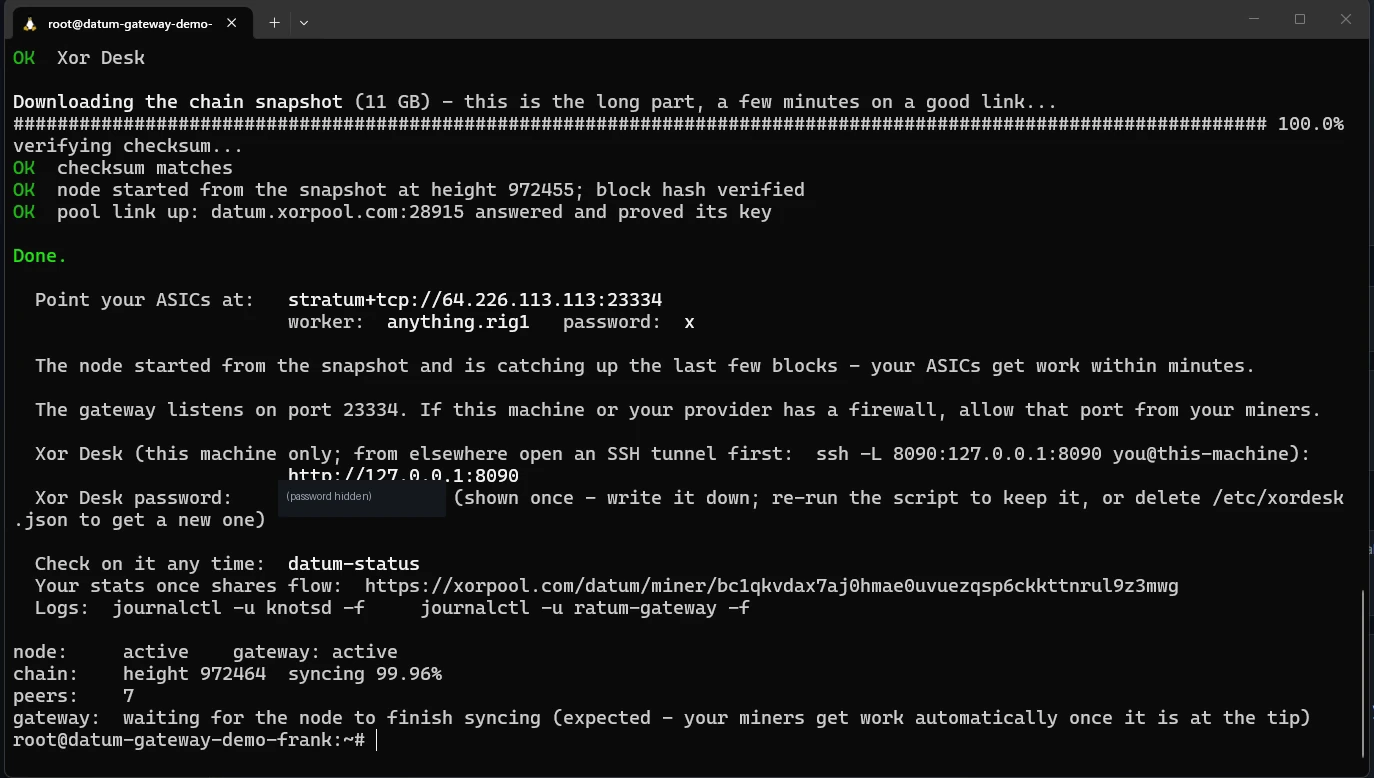
When it finishes, the script prints the address your miners should use. It is your server's IP on port 23334. That line is what goes into your miner, or into MRR. The "pool link up" line confirms your gateway reached the pool and the pool proved its key.
10Wait for "at tip"
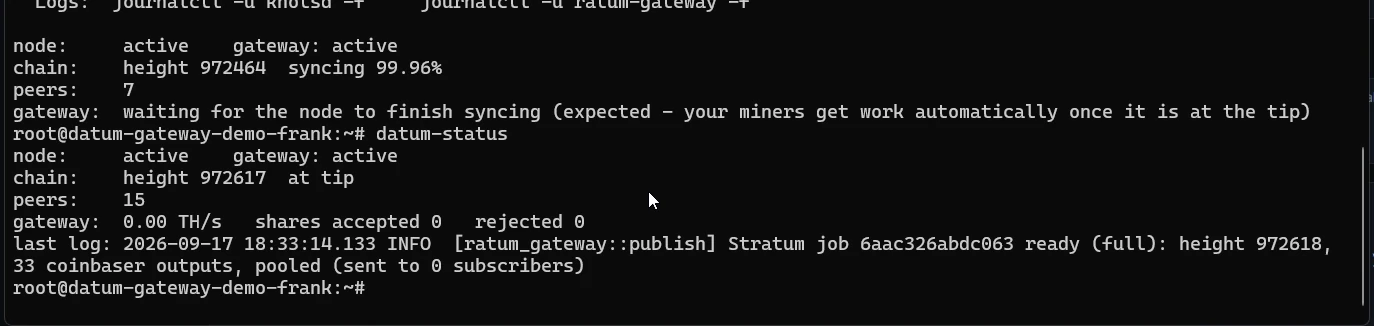
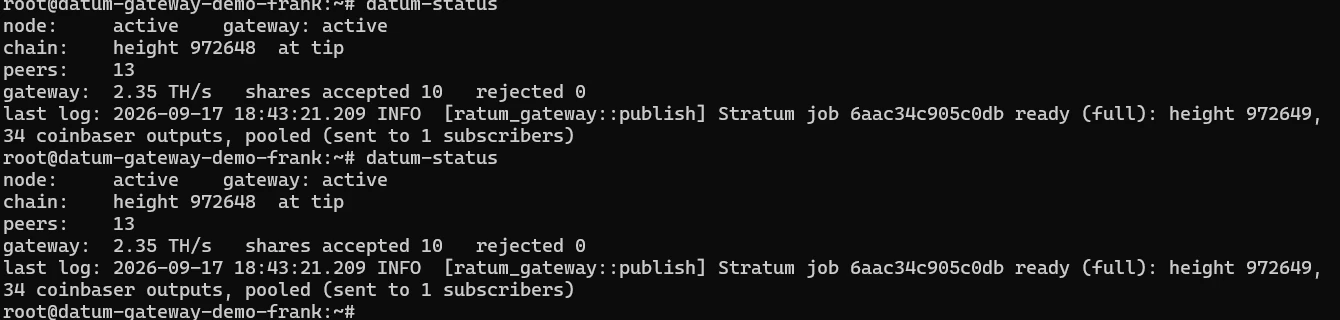
With the snapshot, the node starts a few blocks behind and catches up in a minute or two. If you are doing the full sync, it may take 1-3 days. Check any time with:
datum-status
When chain: says at tip and the gateway line shows a Stratum job, you are ready for hashrate.
Optional: your node now decides what goes into your blocks. The defaults are fine; to choose for yourself see Your node, your policy.
Part 3. Point your hashrate at the gateway
With your own miner, skip the rental steps and enter the same details in the miner's pool settings: stratum+tcp://YOUR.SERVER.IP:23334, any worker name, password x.
11Marketplace → Blake2B
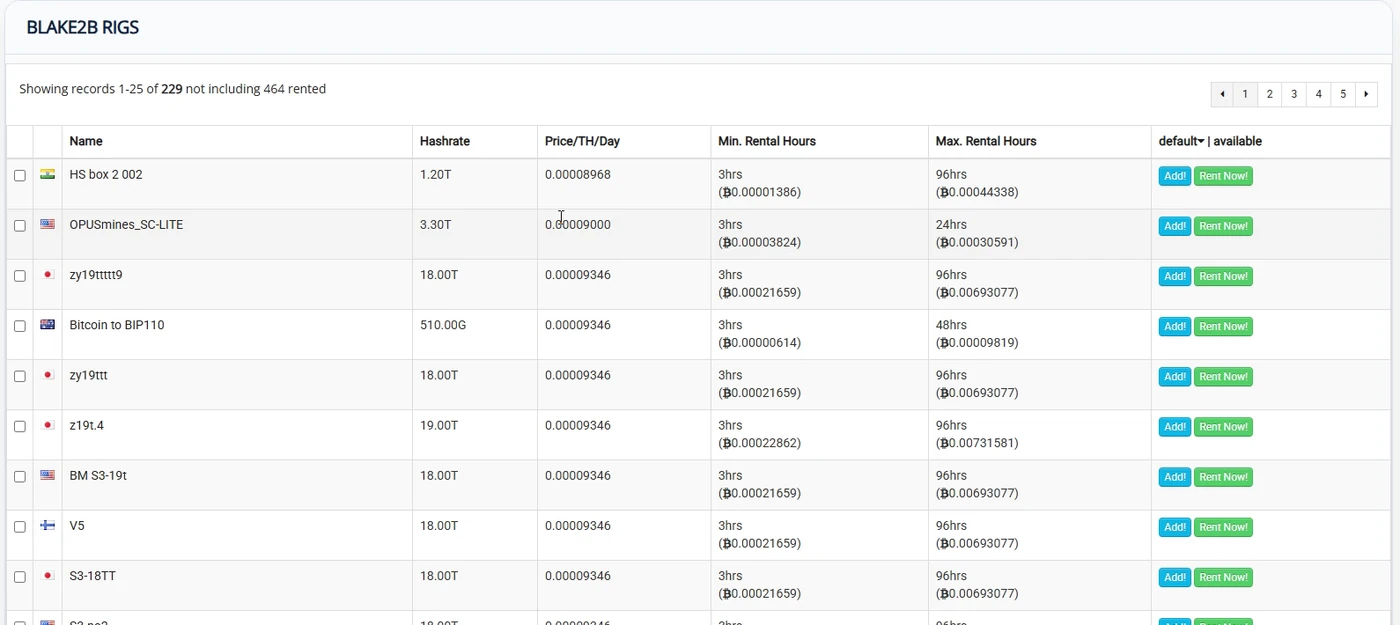
On miningrigrentals.com open the marketplace and choose the Blake2B algorithm. Sort by price, look at the rig's region, and check that its recent hashrate graph is close to what it advertises.
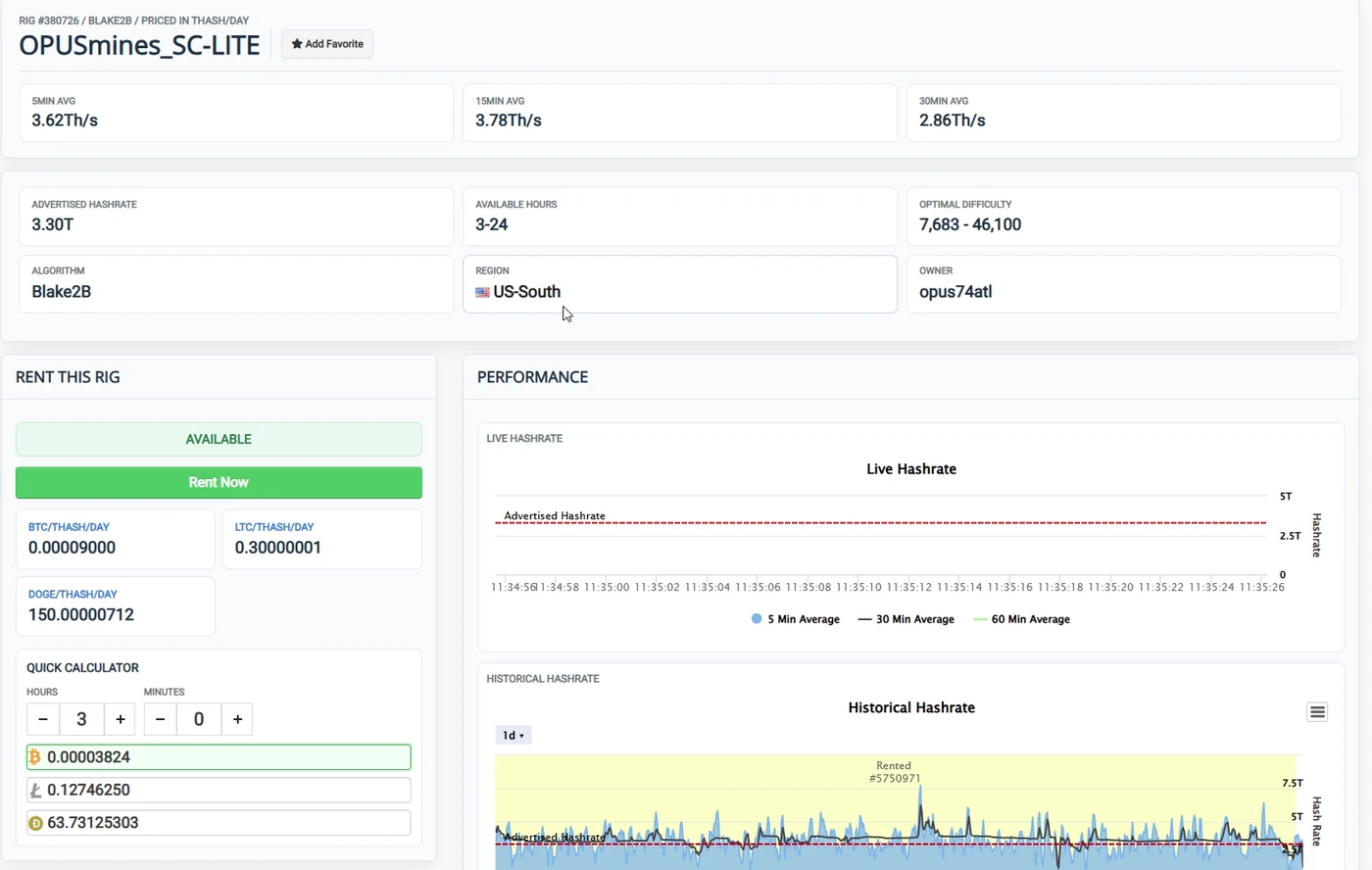
12Rent: choose the hours
Press Rent Now and set the length. Most rigs have a minimum of a few hours.
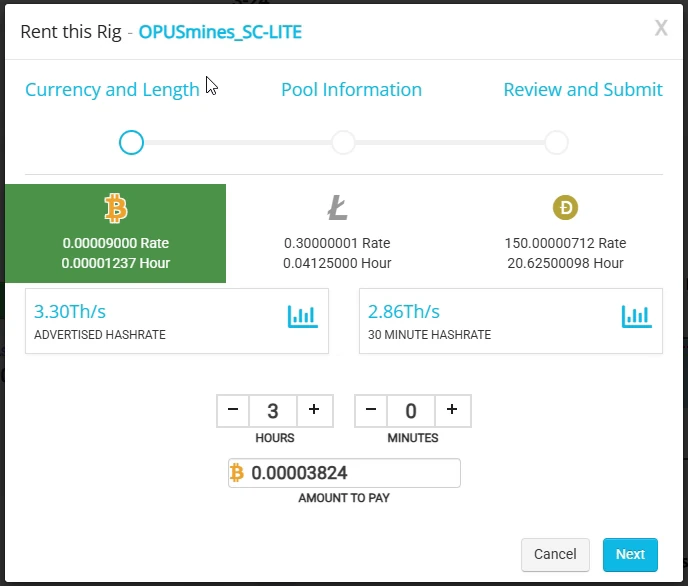
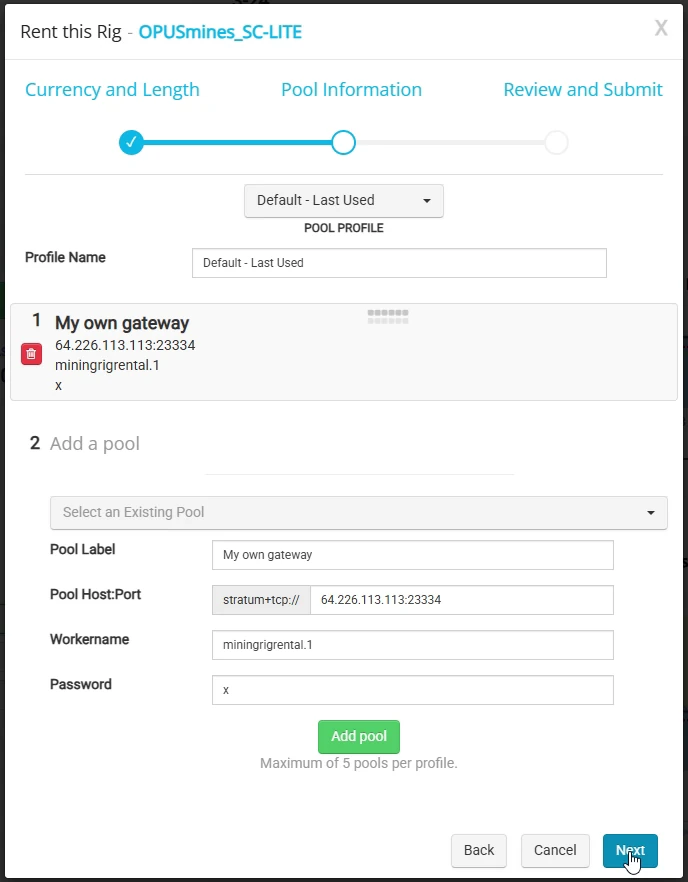
13Add your gateway as the pool
| Field | Value |
|---|---|
| Pool Label | Anything, e.g. "My own gateway" |
| Pool Host:Port | YOUR.SERVER.IP:23334. Leave off the stratum+tcp:// part, MRR adds it. |
| Workername | Anything, e.g. miningrigrental.1. The payout address lives on your gateway, so it does not go here. |
| Password | x |
Press Add pool, check it appears as pool 1, then Next.
stratum+tcp. That is what port 23334 on your gateway is, so nothing else to set up.14Review and pay
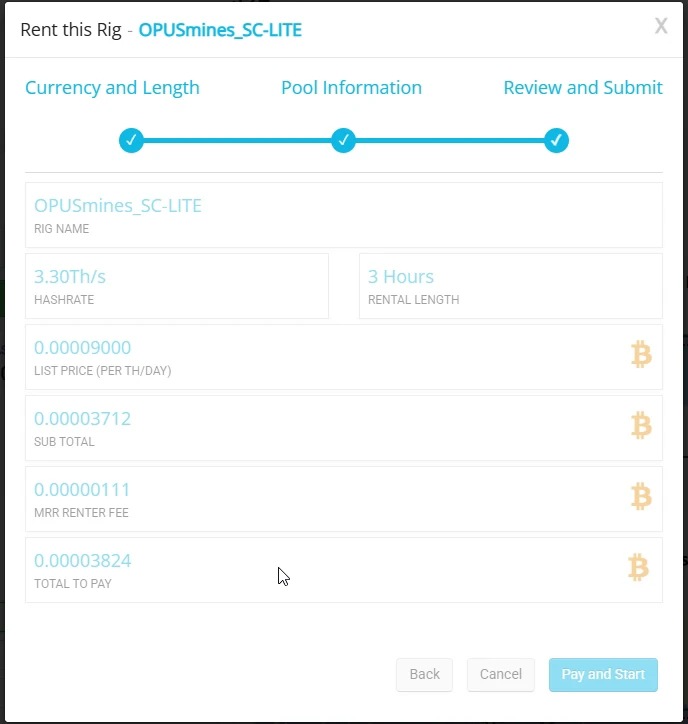
Part 4. Check it is working
15Watch the shares arrive
Back on the server, run datum-status again. Shares accepted starts counting within a minute of the rental starting. The TH/s figure is an average, so it takes a few minutes to climb and it moves around on a small rig. That is normal.
Your public stats page appears once shares flow:
https://xorpool.com/datum/miner/YOUR_ADDRESS
Your tag shows next to your address on the pool's front page, so you can tell your gateway apart from everyone else's.
16If nothing arrives
datum-statusmust say at tip. Until it does, the gateway hands out no work and the rig sits idle.- Check the Host:Port on MRR is exactly your server IP and
:23334, with nostratum+tcp://typed in front. - If your provider puts a firewall in front of the server, allow inbound TCP 23334. Some providers block everything by default, others (DigitalOcean included) block nothing unless you add a firewall yourself.
- Gateway log:
journalctl -u ratum-gateway -f. Node log:journalctl -u knotsd -f.
17When the rental ends
Rewards for shares you submitted are paid to your address by the blocks the pool finds, so there is nothing to withdraw from the server. If you are done, delete the server at your provider and the billing stops. If you plan to rent again, keep it running: the node stays at the tip and your next rental starts hashing immediately.
Questions: ask in the Telegram group.